How I Built My Perfect Retrogaming Machine (And Taught a Modern PC to Speak 15 kHz)
Two years ago I wrote about hunting down a Bang & Olufsen BeoCenter 1 and turning it into a retrogaming machine with a Raspberry Pi and an RGB-Pi DAC. That setup worked. It still works. Plug it in, pick a game, play.
But something kept nagging at me. Three metres from that television sits a desktop PC with an AMD Radeon, 64 GB of RAM and a compositor I’ve customised to death. And the CRT was being fed by a Raspberry Pi, because everyone knows you can’t drive a 15 kHz tube from a modern desktop.
I spent a few evenings finding out whether “everyone knows” was true.
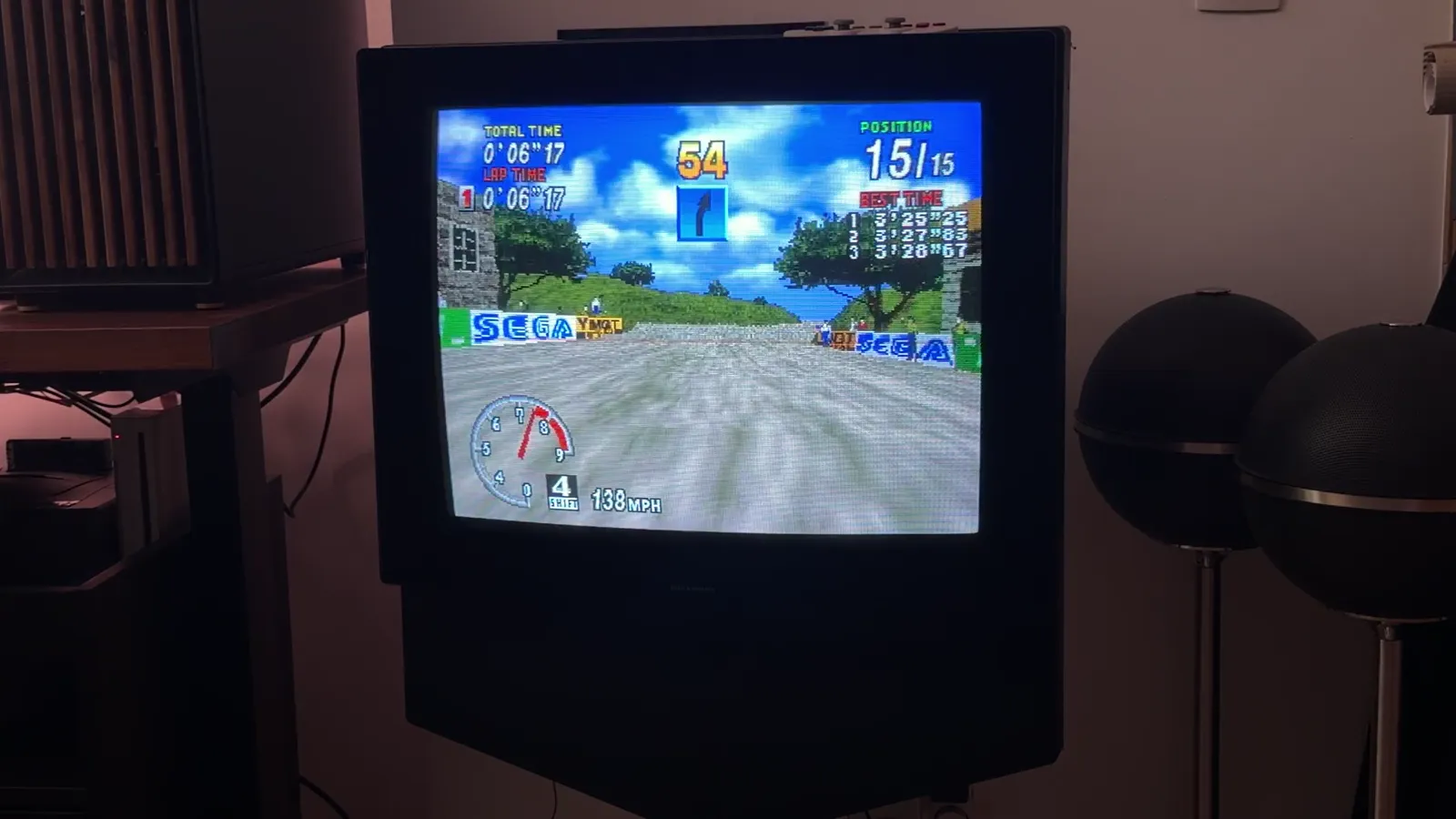
It wasn’t. This is the story of Omarchy CRT: a launcher, a display server and a bar plugin that let my everyday Linux desktop hand an entire television over to retro gaming, native lines, native refresh, real scanlines, no scaler anywhere in the chain.
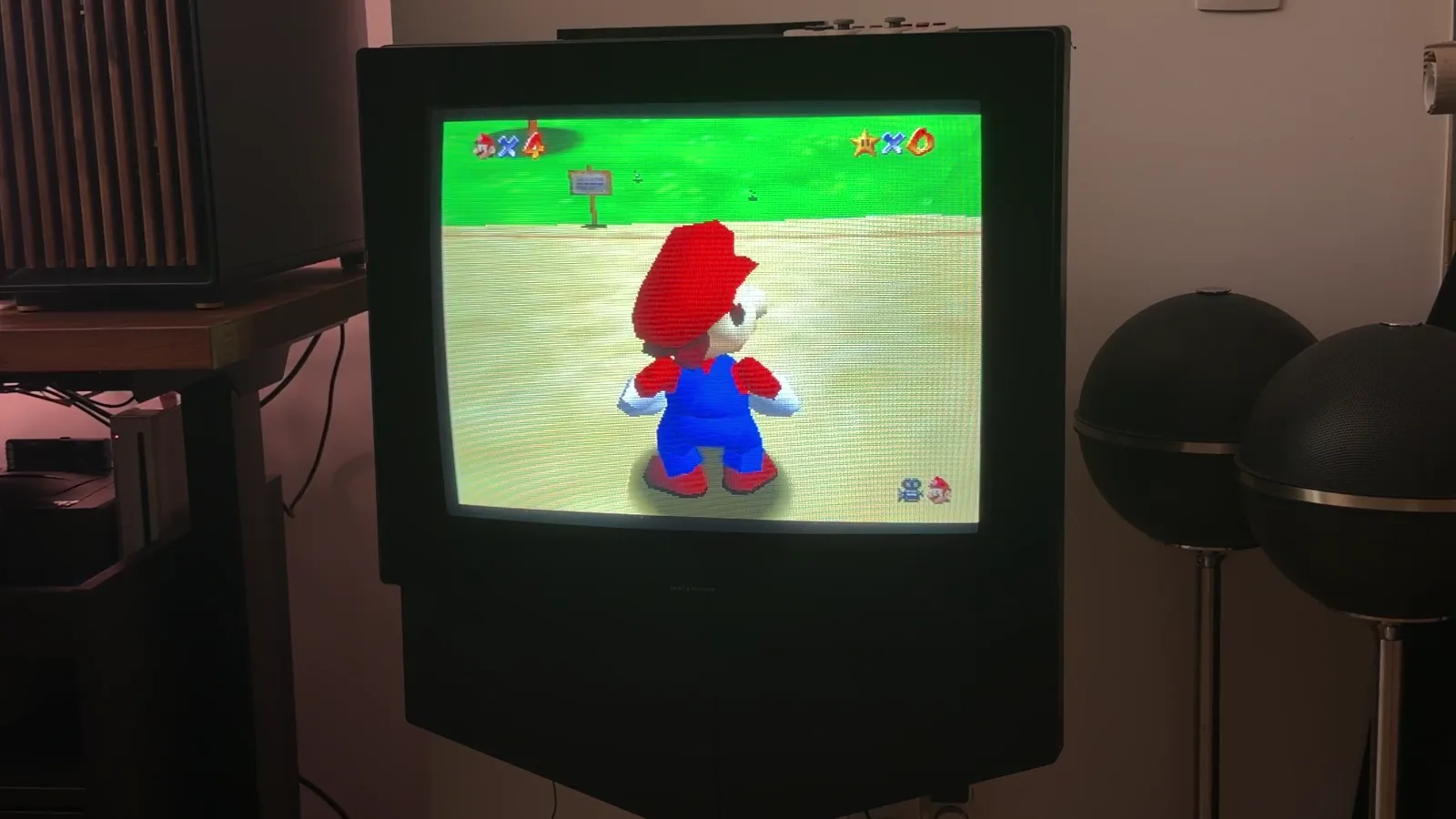
Seventy seconds of it running. Filmed twice at once: the phone looking at the tube, and the tube’s own framebuffer with the television’s audio.
The Premise: A Television That Wants 15 kHz
A CRT television from 1998 speaks one dialect: 15.7 kHz horizontal, 60 Hz vertical for NTSC, 15.6 kHz and 50 Hz for PAL. That’s it. Feed it anything else and you get a black screen, a rolling mess, or the protection circuit clicking in.
Modern PCs, meanwhile, have spent twenty years forgetting that those numbers exist. The minimum a GPU driver will usually admit to is 31 kHz, double what the tube wants. This is why the retro community leans on Raspberry Pis, MiSTer FPGAs and dedicated CRT emulation boxes: small, single-purpose machines whose video output nobody else is competing for.
The RGB-Pi 2 solves the electrical half of the problem. It takes an HDMI signal and turns it into RGB over SCART, with composite sync, at exactly the timings a tube expects. The DAC doesn’t care what generates the signal. It only cares that the signal is right.
I want to be plain about how good this little board is. It is the piece that makes the whole project possible, and I think it has a claim to being the definitive bridge between a modern computer and an old television: no scaler, no firmware to fight, no assumptions about what is upstream of it. Plug it into anything that can be talked into a 15 kHz mode and it just works.
That said, it is the only device of its kind I have tried. There are other routes to a CRT that people speak well of, a Pi2SCART hat, a VGA to SCART transcoder, the CRT Emudriver path on older AMD cards, a MiSTer with its analogue output board, and I have compared the RGB-Pi to exactly none of them. Take the enthusiasm as one person’s experience with one board that has never let me down.
So the question was never can the hardware do it. It was: can a general-purpose desktop, with a window manager and forty applications, be persuaded to produce one perfect 15 kHz signal on one output while behaving normally on the others?
First Attempts, and Why They All Failed
My first approach was the obvious one: tell Hyprland to set a 15 kHz modeline on that output, then pin a fullscreen window to it.
It half worked, which is the worst outcome. The modeline applied. The picture appeared. And then the desktop did what desktops do: it treated the television as a monitor. Notifications landed on it. A misclick moved a browser window onto it. The screensaver kicked in mid-game. Workspace rules helped, window rules helped more, a script that parked the pointer helped again, and the whole thing still felt like a stack of workarounds holding a door shut.
Worse, some timings I needed were simply refused. Interlaced modes, unusual porches, non-integer pixel clocks: the compositor would accept the line, the DAC would shrug, and the tube would show nothing.
The workaround pile got tall enough that I stopped and asked a different question. Not “how do I stop the desktop from touching this output”, but “how do I take this output away from the desktop entirely?”
When your fix list grows faster than your feature list, you’re solving the wrong problem.
The Breakthrough: Leasing the Television
The answer was in the graphics stack all along: DRM leasing.
DRM leasing is how VR headsets work on Linux. A compositor hands a connector, one physical output, to another process, which then owns it: sets its own mode, drives its own pages, runs its own show. The desktop stops compositing to it entirely.
Two pieces make it work here:
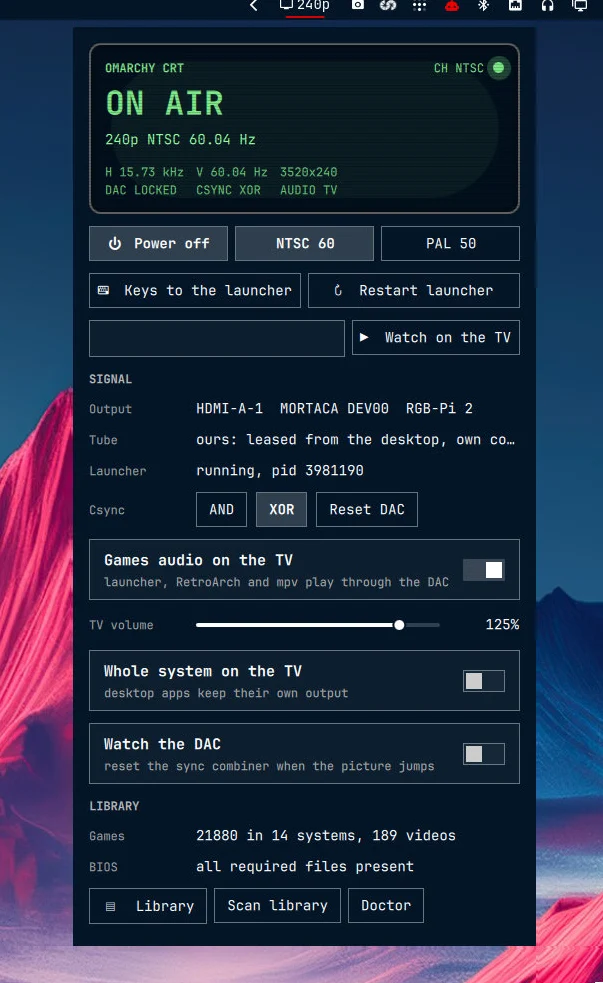
- An EDID override installed at boot marks the DAC’s connector as non-desktop. That’s a single bit in the display’s identification data, and it’s exactly the bit VR headsets set. Hyprland reads it and takes the television out of its own monitor list, offering it for lease instead.
omarchy-crt-display, a small Wayland compositor built on Smithay, takes that lease, programs the timing through DRM directly, and runs the tube.
From that moment the television is not a screen the desktop manages. It’s a screen my code manages, with its own clients: the launcher, RetroArch, mpv. Nothing from the desktop can land there by accident, because the desktop no longer knows it exists.
The technical constraints turned out to be sharp and specific:
- Whole-megahertz pixel clocks. Hyprland 0.56 truncates the clock when parsing a modeline, so 72 MHz works and 71.5 MHz becomes 71.
- Super resolutions. The tube gets 3520x240 for NTSC and 3840x288 for PAL: enormously wide, 240 lines tall. Wide because the DAC’s sampling likes it, 240 lines because that’s what the tube draws. Games get scaled horizontally to taste and left alone vertically.
- One line per line. A Super Nintendo game with a 224-line frame gets a 224-line mode, live, at launch. No scaler, no interpolation, no “close enough”. This is the entire point of the exercise.
- Interlaced when it helps. 480i and 576i modelines exist for video, at the same line rate as the progressive modes. Film looks better as fields than as a deinterlaced compromise.
The Architecture, Drawn the Way the Launcher Draws
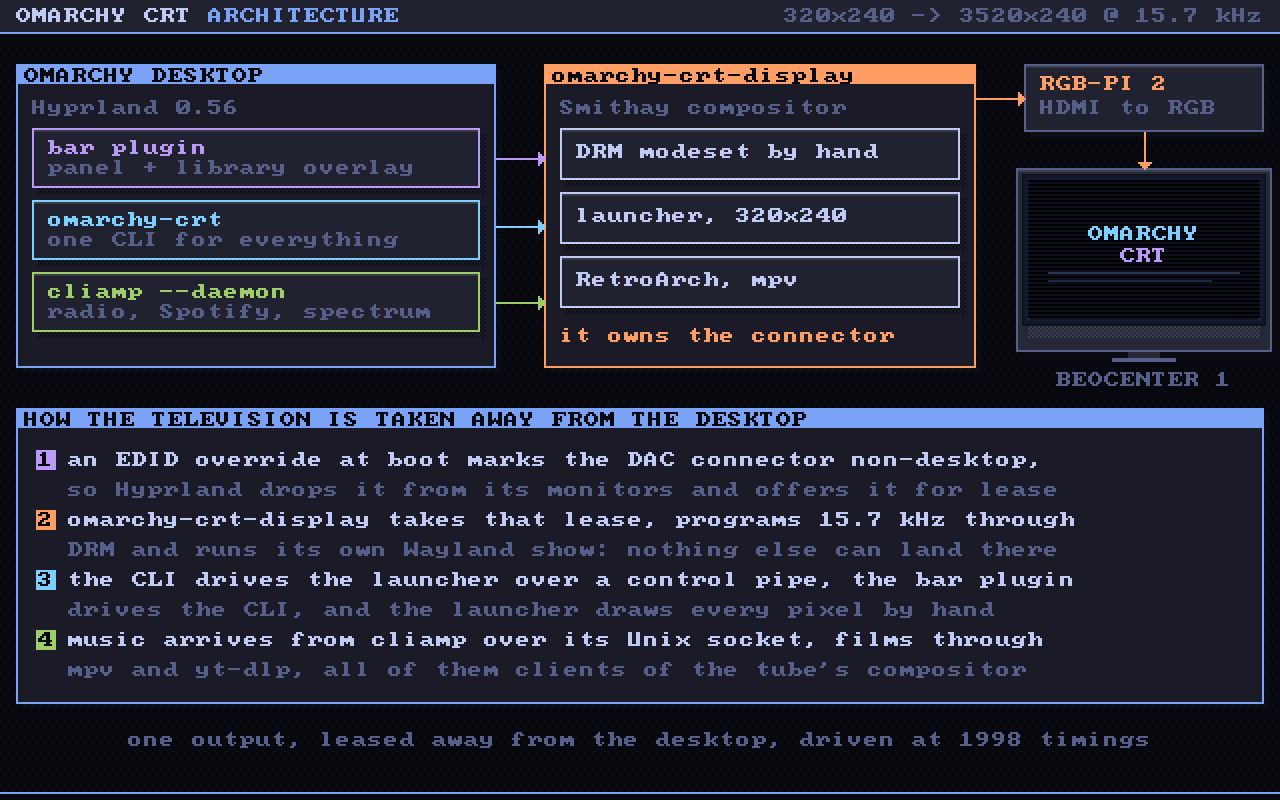
Four moving parts, and only one of them is unusual:
- The desktop side is Omarchy’s own: a Quickshell plugin in the bar with a panel and a full screen library overlay, one
omarchy-crtcommand line underneath it, and cliamp running as a daemon for music. - The display process owns the television: it takes the DRM lease, programs the timing, and runs a tiny Wayland compositor whose only clients are the launcher, RetroArch and mpv.
- The launcher draws 320x240 pixels by hand and gets stretched to whatever super resolution the tube is running.
- The wiring is plain: a control pipe from the CLI into the launcher, a Unix socket from the launcher to cliamp, HDMI into the DAC, RGB and composite sync into the SCART socket.
The Launcher
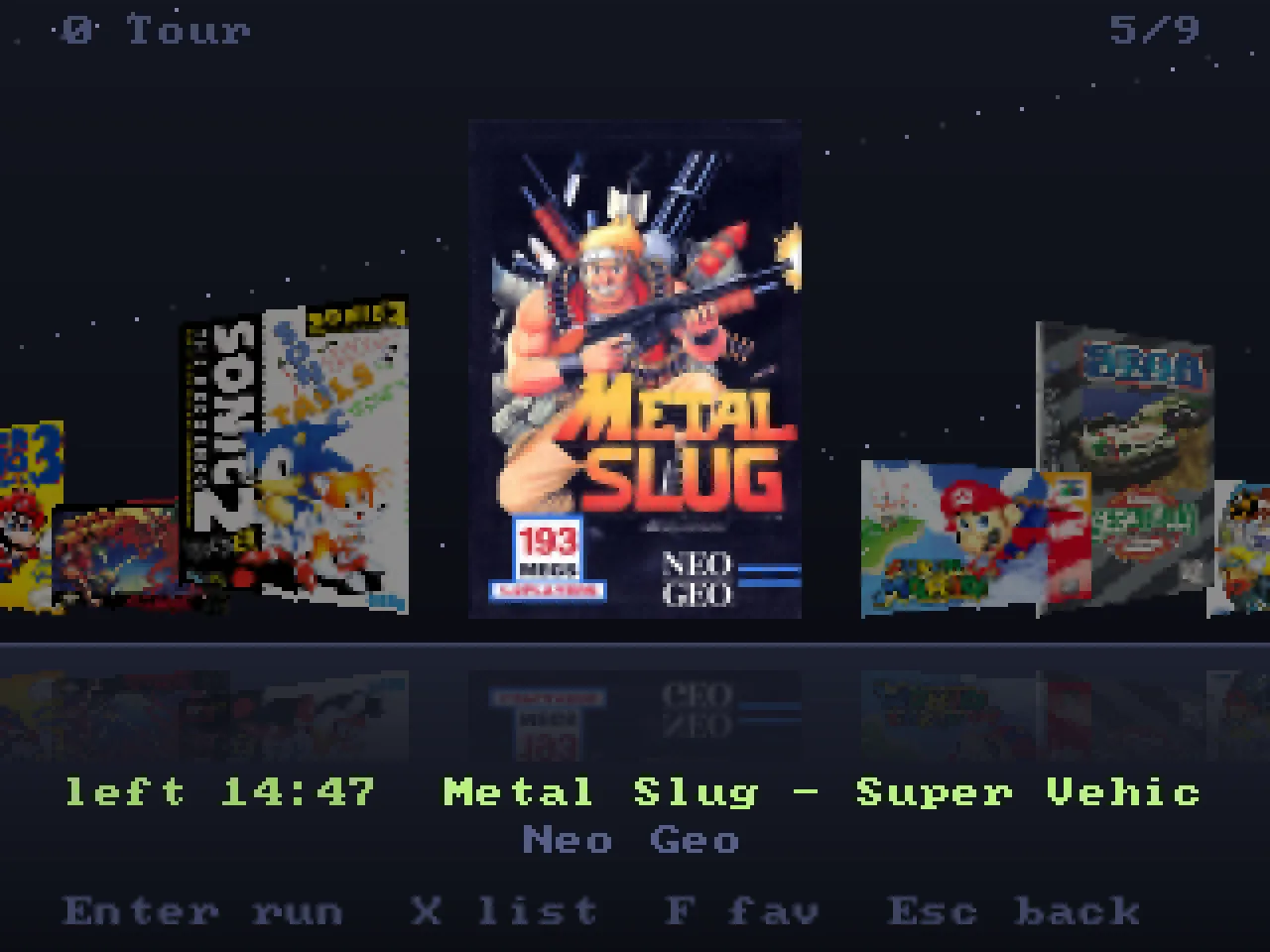
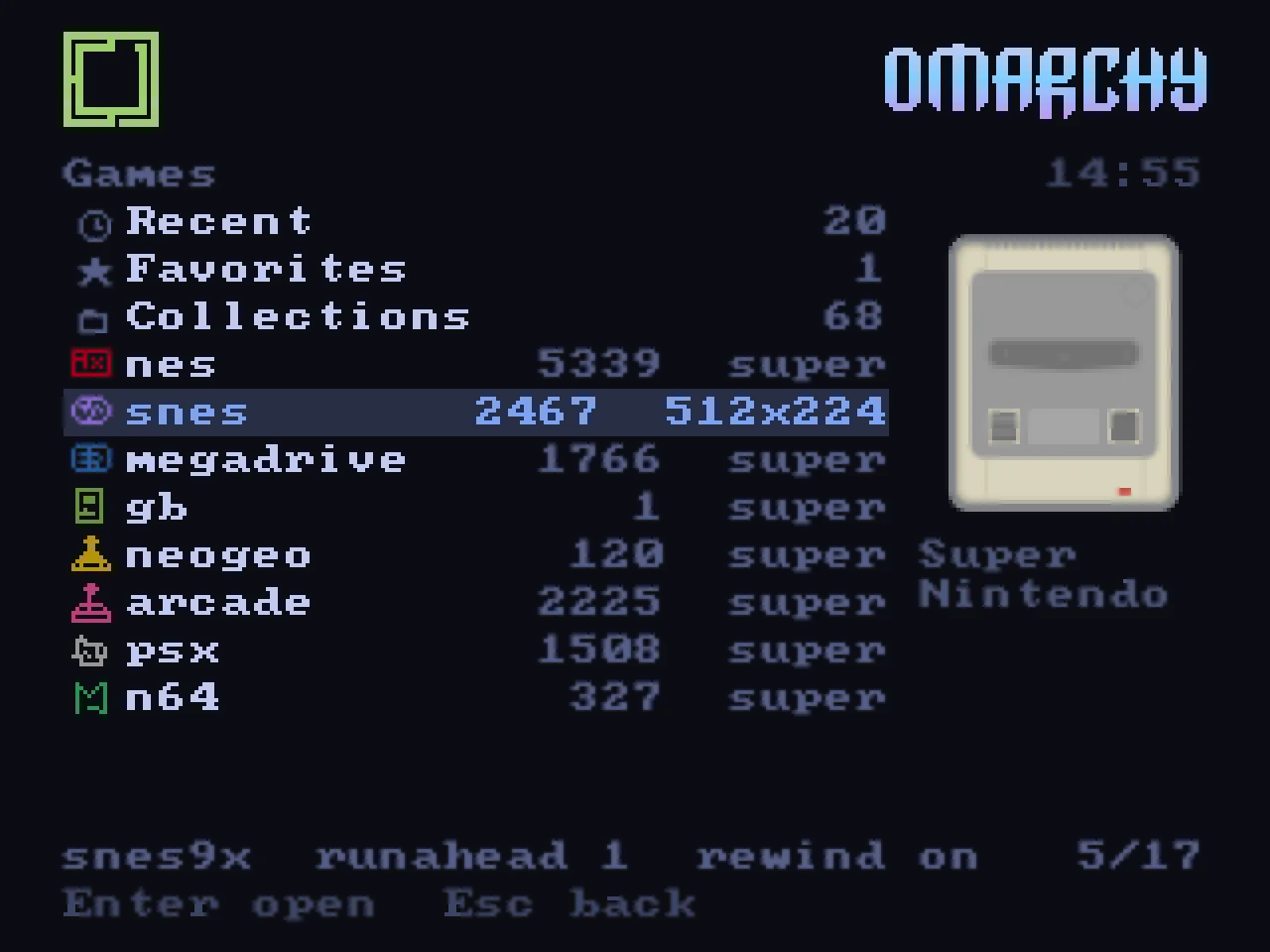
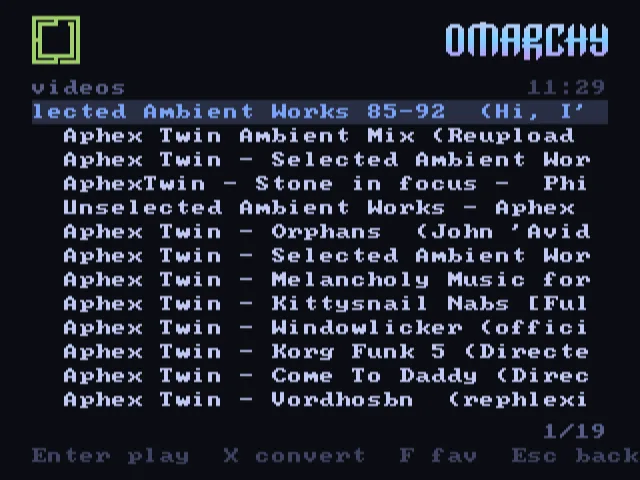
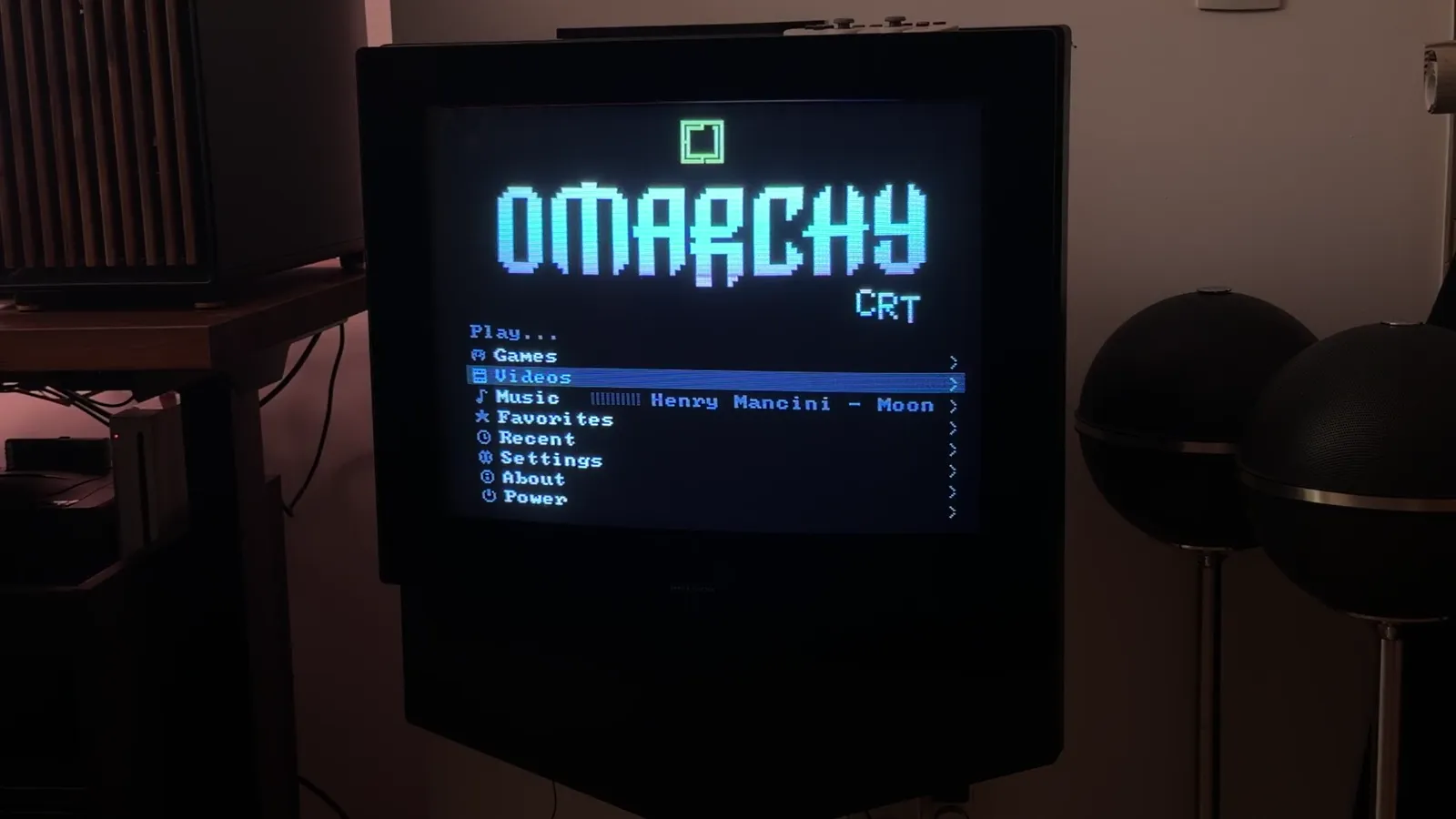
Owning the output means you also have to draw something on it. So the second half of the project is a launcher, written in Rust, that renders into a 320x240 framebuffer and lets the display process stretch it to whatever super resolution the tube is running.
Everything is drawn by hand: no toolkit, no font rendering library, no GPU. Pixels in a buffer, a bitmap font, and a lot of enjoyable maths. It picks up the current Omarchy theme, so the tube matches the desktop’s colours down to the selection band.
The boot: a fake BIOS screen with the real hardware, a laser-etched wordmark, and the CRT tag slamming in over a Mode 7 floor. Every effect is synthesized, sound included, so turn it up.
The parts I’m happiest with:
- A collection that indexes itself. Point it at a disk, whatever its folder layout and naming convention, and it works out systems, regions, revisions and multi-disc sets from the file names.
- Box art matched by title. The libretro thumbnails are keyed by exact file name, which fails the moment your files aren’t named like a No-Intro set. So the launcher downloads each system’s name index once, normalises titles, prefers your region and falls back to word overlap. Arcade collections name their files after the emulated set (
mslug.zip, notMetal Slug), so those go through the databases RetroArch already ships: the set name becomes a title, and the title finds its cover. - A cover flow with reflections on the floor and a starfield behind it, because the whole project is an excuse to draw pixels.
- Save states in sight. Every game says when it was left. A game left in the middle asks whether to carry on or start a new session, the state on disk is kept either way.
- A pause menu that isn’t RetroArch’s. Select + Start (or F1) raises resume, save, load, rewind, fast forward, slow motion, reset and back to the launcher.
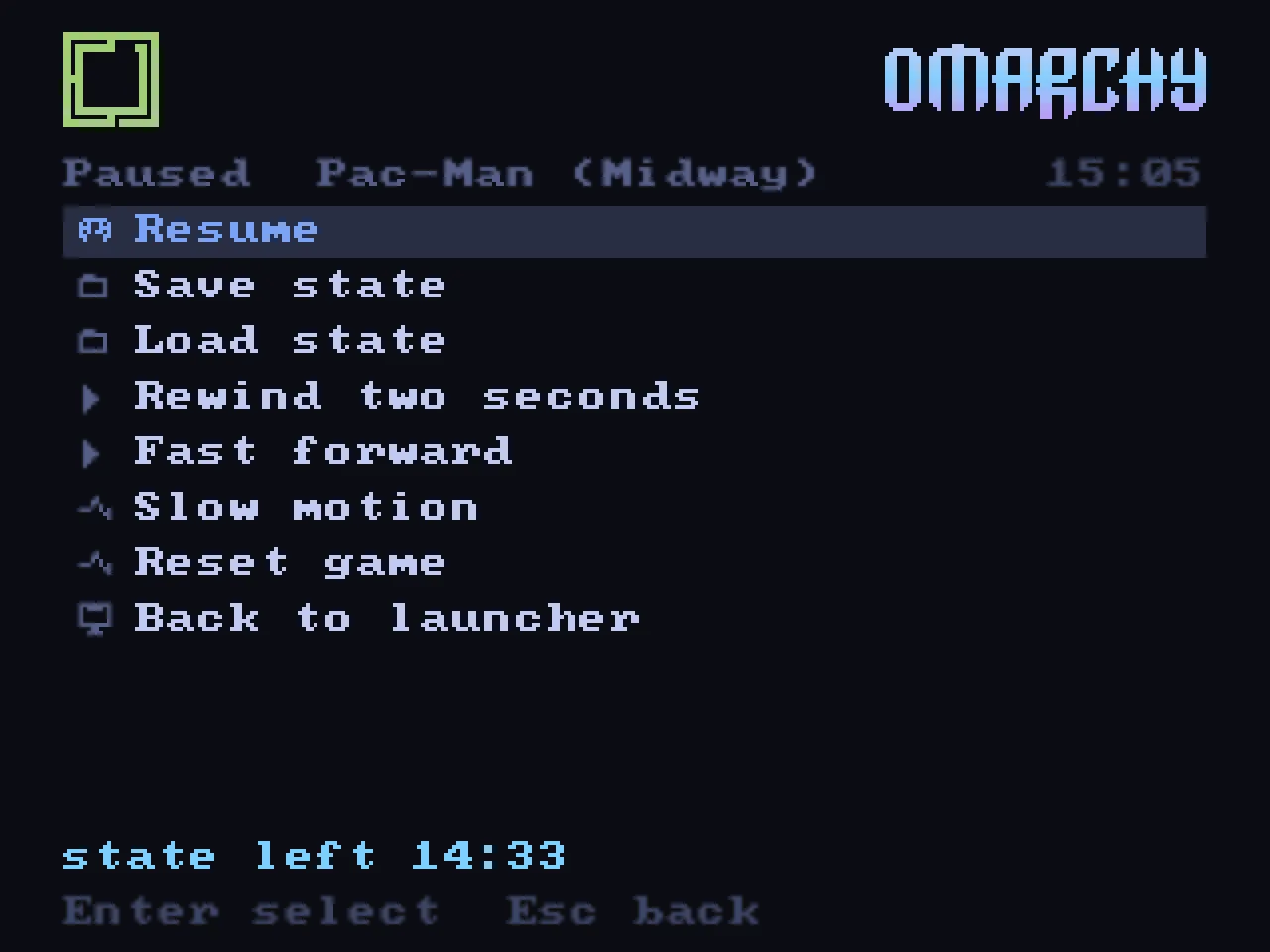
That pause menu hides a good story. RetroArch has a network command interface, which is the documented way to tell it to save a state. On version 1.22 it also crashes the emulator about one time in three. So the launcher doesn’t use it: the compositor presses the actual keys. It injects a real key event into the game’s own input path, holding it for as long as the action needs: 45 milliseconds for a save, two full seconds for a rewind.
If the clean API is unreliable, the ugly-but-honest path is often the stable one. Real key events are what the emulator was tested with.
Not Just Games: Music and Films on a Tube
Once the television is a first-class output, limiting it to games feels silly.
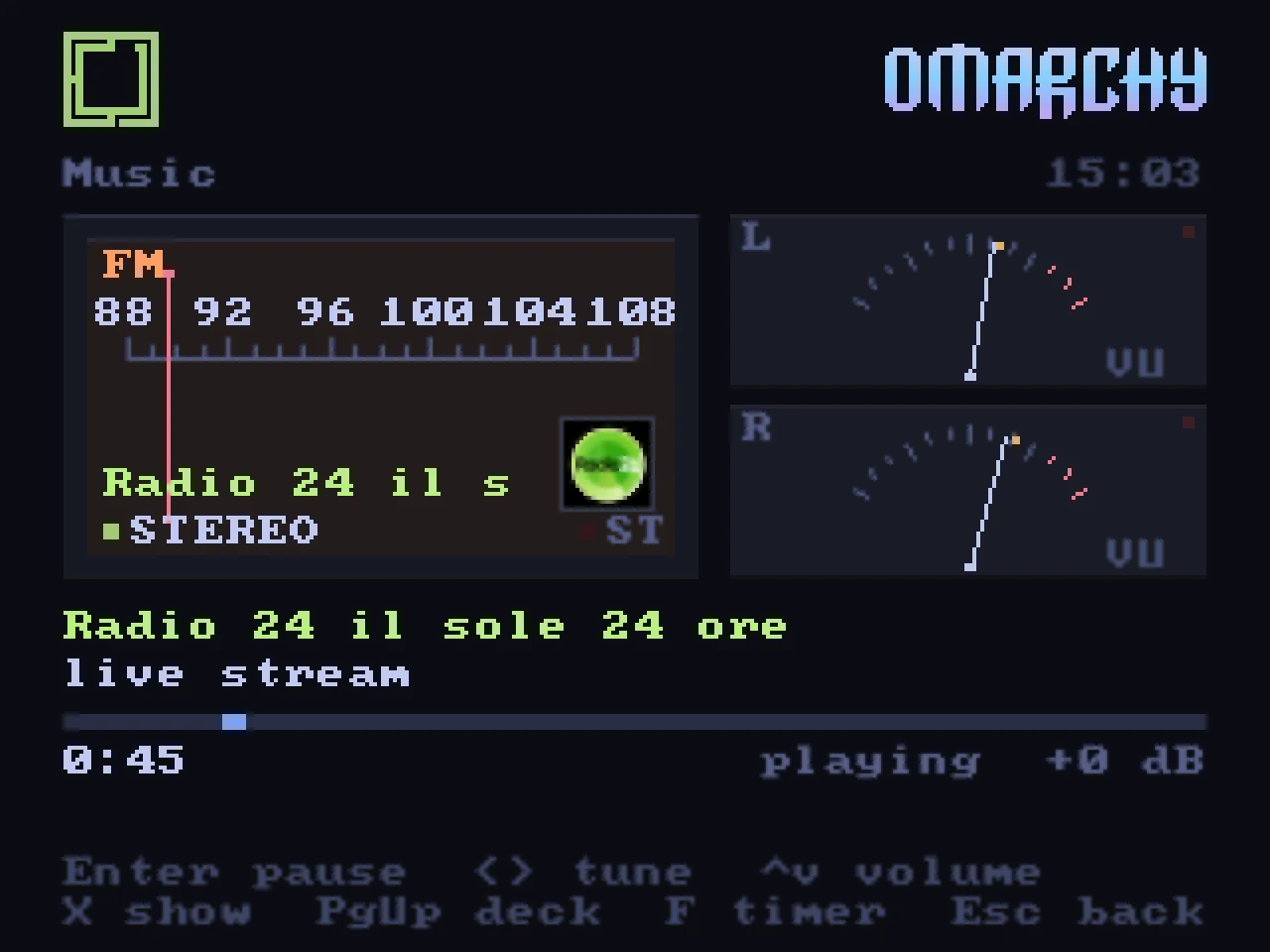
Music runs on top of cliamp, Omarchy’s terminal music player, which turned out to have exactly what I needed: a Unix socket with a JSON protocol, a ten-band equaliser and a spectrum analyser. The launcher speaks to it over that socket and draws a hi-fi deck on the tube: a cassette whose reels turn with the music, or a radio dial whose needle glides to the station through a burst of static, or a turntable whose tonearm crosses the record as the song plays. Two VU meters with real inertia. Radio comes from the Radio Browser directory; Spotify and the other providers come from cliamp; album art comes from Spotify’s own public oEmbed endpoint, because the socket doesn’t carry it.
Leave it alone for six seconds and the deck becomes a visualizer driven by the spectrum and a kick detector: a Mode 7 equalizer over a rotating checkerboard, silk ribbons, an oscilloscope, a starfield, plasma, pixel fire.
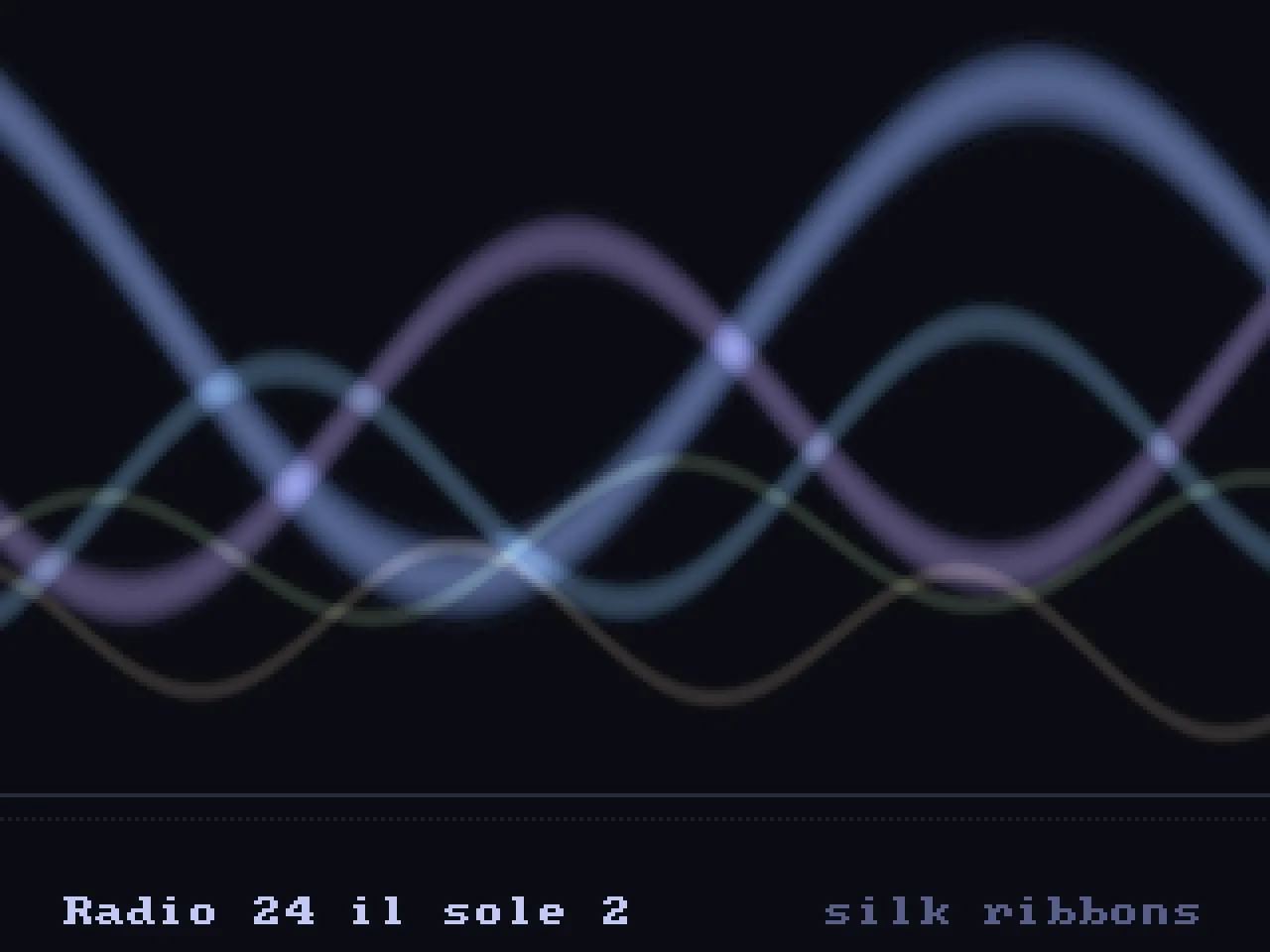
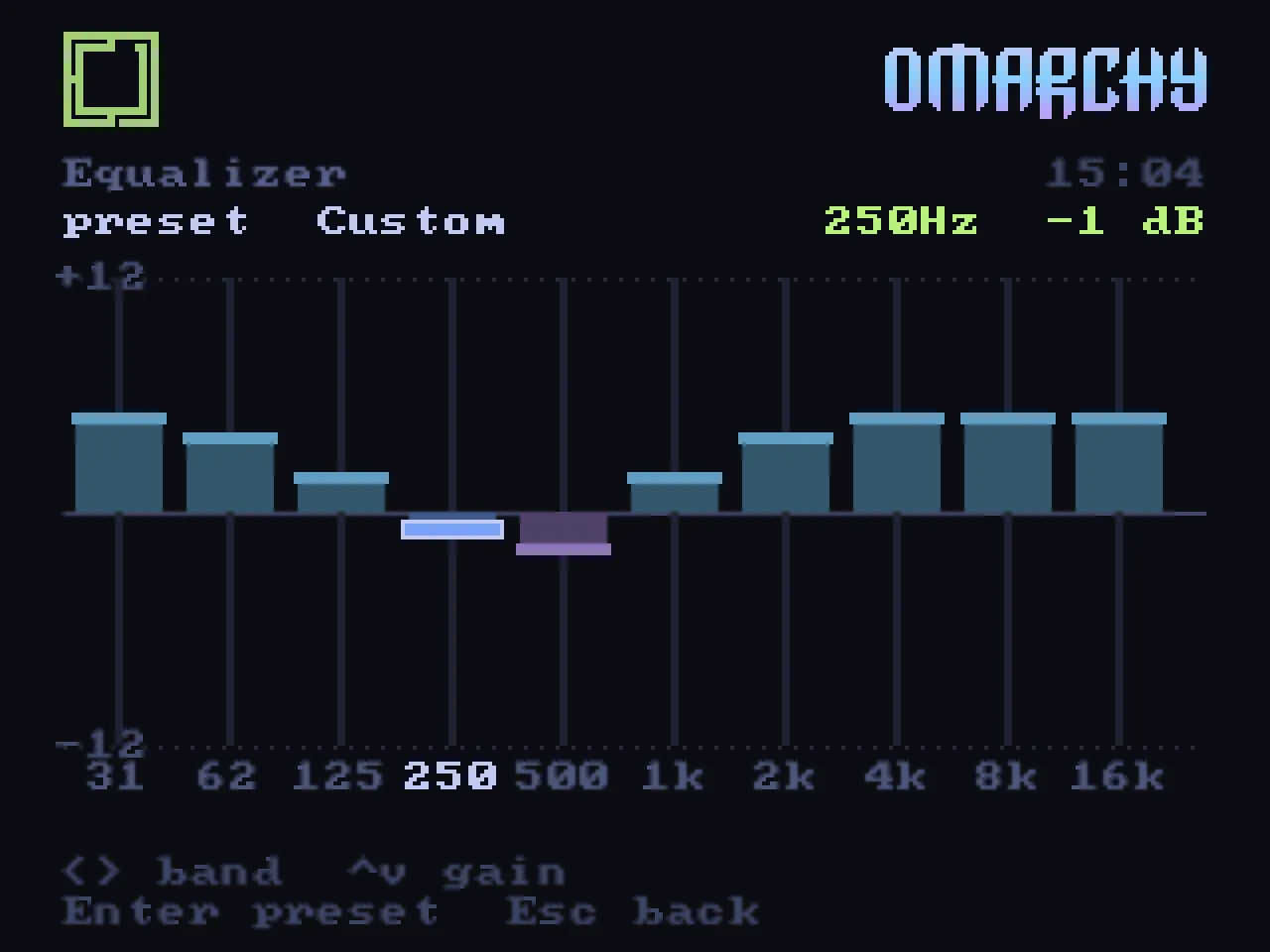
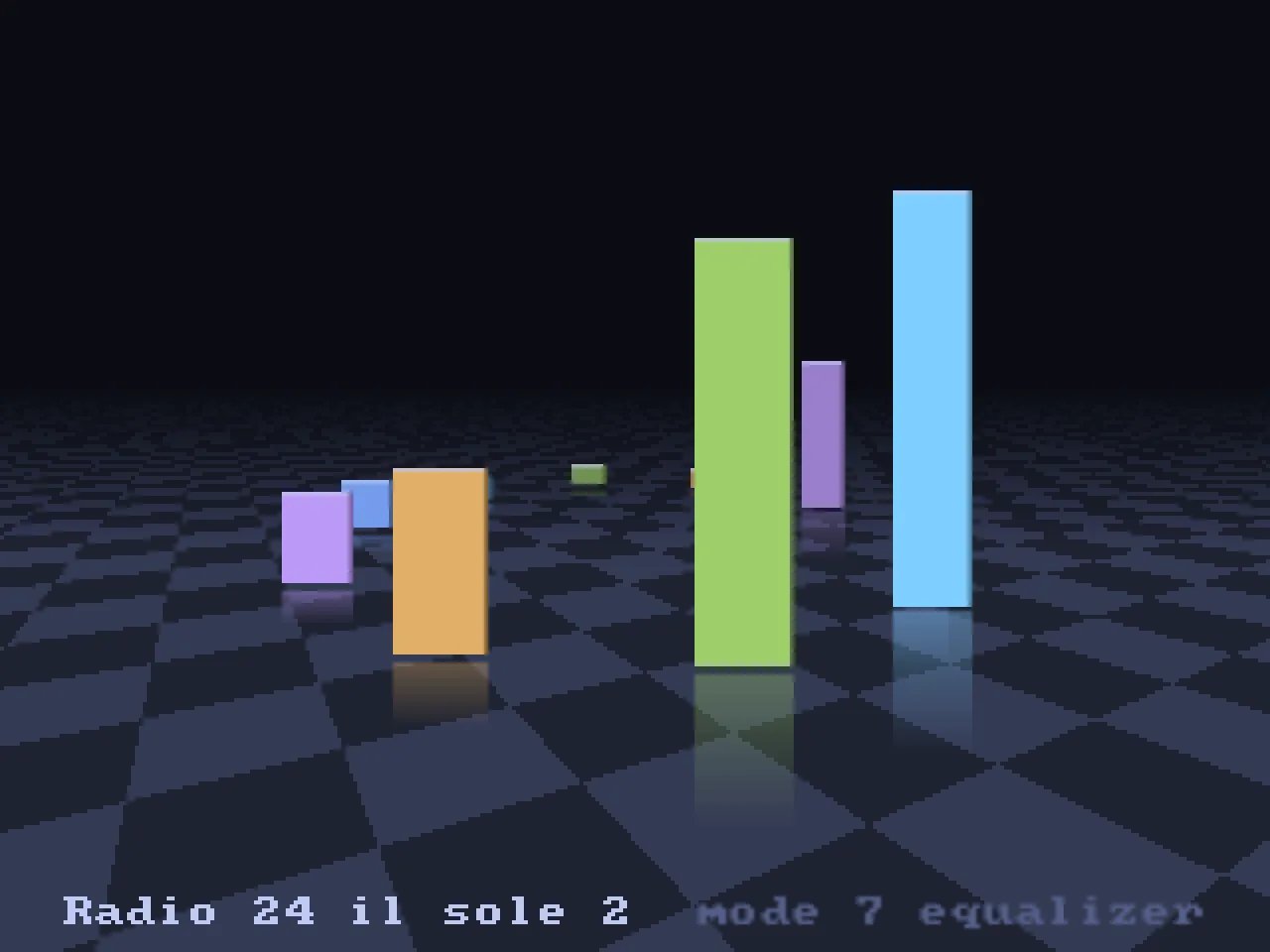
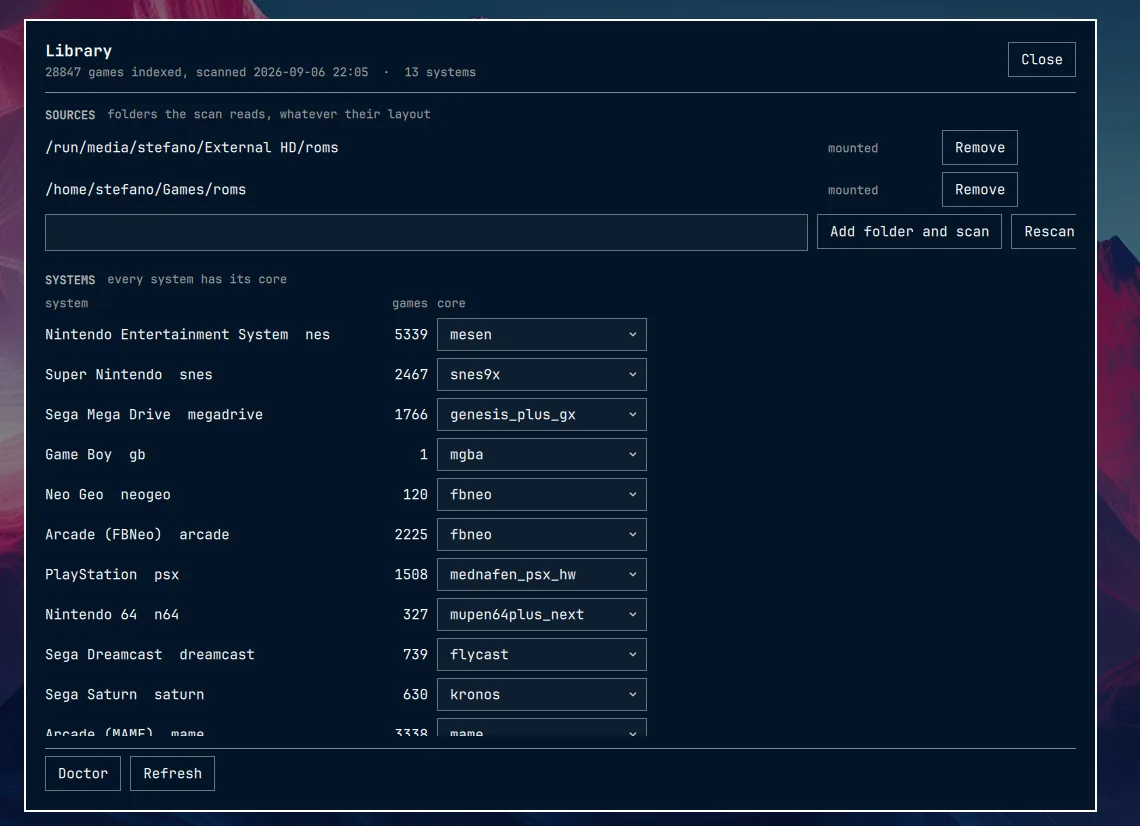
Films go through mpv, with a fit pipeline that treats a 240-line screen as a target rather than a limitation: letterbox or crop, safe area, pulldown or PAL speed-up, and its own on-screen display drawn in the launcher’s colours. YouTube works too, search from the tube with yt-dlp, or send a link from the desktop with one click. Streams are fetched at 480p, which is more than a 240-line tube can show and cool enough that the machine’s fans stay quiet.
The Part Where I Used AI, and Why I’m Not Apologising
This project is roughly thirty thousand lines of Rust, plus QML, plus shell. I wrote it in evenings, after bedtime stories, with Claude Code as a pair programmer, the same way I described administering my Mac Pro homelab.
The README says so in the first paragraph, on purpose:
This project is written with an AI. Design, code, tests and this very README are the work of a human directing Claude, commit after commit, on a real television in a real living room. If a codebase built that way is not for you, no hard feelings: there are many other repositories.
I keep that disclaimer up front because I’ve watched the argument play out enough times. “If you used AI, you didn’t really learn anything.” I understand the instinct. I also think the last few evenings are a decent counter-argument.
DRM leasing is not something you learn from a tutorial. There isn’t one. What exists is kernel documentation, the Wayland protocol XML, Smithay’s examples and a handful of VR-adjacent blog posts. Working through that with an assistant that has read all of it, and that can be wrong about it and be corrected, was not a shortcut past understanding. It was a way of getting to the understanding in evenings instead of months.
And here’s the part nobody warns you about: the interesting work moves to judgement. Which timing to try next. Whether a crash is in my code or the emulator’s. Whether a feature belongs on the television or in the bar. Whether a film’s cut is honest about what the thing actually does. The assistant is fast at the parts I can verify and useless at the parts only I can decide.
The tube in my living room either shows a picture or it doesn’t. That’s a hard, physical test that no amount of confident text can fake.
Preservation, Not Piracy
One more thing worth saying plainly, and it’s in the README too.
This project ships no games, no BIOS files and no copyrighted material, and it links to none. It’s a frontend for hardware and software you already own: a television, a DAC, emulators, and whatever you’re entitled to run on them.
The machines we grew up with are disappearing: into landfill, into failed capacitors, into rotting optical media. So are the screens they were designed for: every CRT still working is one that somebody chose not to throw away. Keeping both usable, and using them for something more than nostalgia, is the point. Where your files come from, and whether you have the right to them, is between you and the law of your country.
Takeaways
If you’re thinking about something similar:
- Look for the mechanism, not the workaround. DRM leasing existed for years before I needed it. Two evenings of reading beat two months of window rules.
- Own the whole path. Once the display process owns the connector, half the bugs I’d been fighting stopped being possible.
- Use the tools your desktop already has. The music engine, the player, the bar, the theme files, the plugin system: all of it was there. Writing a frontend on top of Omarchy’s own pieces was less work and better behaved than writing a self-contained one.
- Test on the real thing. Every feature in this project was verified on a television in a living room, at 240 lines, with the fan noise and the DAC’s warm-up and the way the glass makes everything look better than it should.
The whole thing is tested on exactly one setup, Omarchy 4 with Hyprland 0.56, an AMD Radeon RX 7700/7800 XT, an RGB-Pi 2 and a BeoCenter 1, and it is honest about that.
The code is not public yet. I am tidying the last edges and writing the parts of the documentation that only make sense once somebody else tries to install it, and then the repository opens. If you want to be there when it does, it will be announced here and on my usual channels.
And one more thing, which is really why I wrote all this down.
I have been using computers since I was five years old. The ZX Spectrum was where my story began, rubber keys and a tape deck and a television for a monitor. In the four decades since I have watched the industry get better at almost everything and, quietly, worse at one thing: the distance between an idea and a working version of it kept growing. Frameworks, toolchains, build systems, twelve layers between you and the pixel.
That distance has collapsed. Not because the layers went away, but because you can now hold a conversation with something that has read all of them. A weekend project that needs a Wayland compositor, a DRM lease, a bitmap font renderer and an emulator’s input path is no longer a six month commitment: it is a few evenings and a lot of judgement calls that are yours to make.
If you have a maker’s temperament, the only limit left is what you can imagine wanting. I do not think there has ever been a more exciting time to sit down at a computer, and I say that as someone who was there for the rubber keys.
It’s not just about playing games. It’s about a beautiful object from 1998 doing something useful in 2026, driven by the machine I already had.